
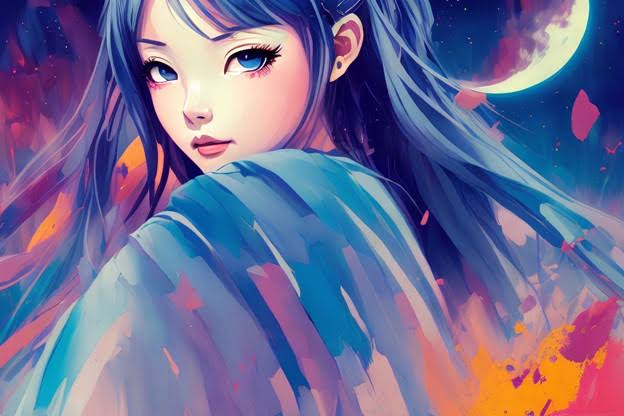
Scroll through any Discord server, TikTok comment section, or Twitter reply thread and you’ll notice the same pattern: a huge share of accounts are represented by a single anime face. Not a selfie, not a logo — a character.
It isn’t laziness. A well-chosen anime avatar does something a photo often can’t. It signals taste, mood, and community membership in a fraction of a second, without giving away anything personal. But there’s a wide gap between an avatar that works and one that just sits there. Most people pick a screenshot they liked, crop it badly, and never think about it again.
Here’s how to do it properly.
Start with the impression, not the character
The most common mistake is picking a character you like rather than a character that says what you want said.
These are different questions. You might love a chaotic comic-relief character, but if you’re using the same account to network in a professional Discord or post your art portfolio, that avatar is doing work you didn’t ask it to do.
Before browsing anything, decide which of these you’re aiming for:
- Approachable — soft expressions, warm colors, characters mid-smile. Reads friendly in group chats and community servers.
- Cold / composed — neutral expressions, dark palettes, characters looking away from the camera. Reads serious, a little distant. Common in gaming and competitive spaces.
- Chaotic / funny — exaggerated faces, reaction-shot crops, unusual angles. Great for casual friend groups, risky anywhere else.
- Artistic — illustration-heavy frames, unusual composition, strong color grading. Signals that you care about the medium itself.
Pick the lane first. It narrows thousands of options down to a manageable handful.
Think in crops, not in artwork
This is the part almost everyone skips.
Your profile picture will be displayed as a small circle — often around 128 pixels on Discord, roughly 110 pixels on an Instagram mobile profile, and smaller still in comment threads. Whatever beautiful full-body illustration you found is going to be reduced to a circular window roughly the size of a fingernail.
That means:
- The face should fill most of the frame. If the character occupies less than half the crop, the image will read as visual noise at small sizes.
- Test the circle before you commit. Anything in the corners of a square image gets cut. Hair spikes, weapon tips, and text captions almost always disappear.
- Avoid busy backgrounds. A detailed cityscape behind the character looks great at full size and turns into grey mush at 128 pixels.
- Upload larger than you need. Aim for at least 512×512 pixels, ideally 1024×1024, as a PNG. Platforms downscale well; they cannot upscale.
A simple test: shrink the image on your own screen until it’s about the size of a coin. If you can still tell what it is, it works.
Color does more work than the character
Two people can use the exact same character and land completely different impressions, purely through palette.
Warm oranges and pinks read as friendly and energetic. Deep blues and purples read as calm and slightly moody. High-contrast reds read as aggressive. Muted, desaturated tones read as understated and, right now, quite fashionable.
Colour also has a practical function: it makes you recognisable. In a fast-moving Discord channel, people don’t read your username — they register a colour blob and know it’s you. A distinctive dominant colour is genuinely more useful than a distinctive character.
If you’re building a consistent presence across several platforms, choose the colour first and find a character that fits it. That’s the reverse of how most people work, and it produces far better results. Collections organised by palette and mood rather than by series — like these aesthetic anime PFP ideas — make this approach a lot faster than scrubbing through episodes for screenshots.
The monochrome option
Black-and-white anime avatars have quietly become one of the most durable choices online, and there’s a reason beyond fashion.
Stripping colour out forces the image to work on composition and contrast alone. A monochrome crop stays legible at any size, on any background, in both light and dark mode — which colour images frequently don’t. It also sidesteps the palette-clash problem entirely if your banner, server theme, or feed aesthetic changes later.
The trade-off is that you lose the recognition advantage discussed above. In a channel where three other people are also using greyscale avatars, you blend in. Monochrome works best when the composition itself is unusual — a sharp silhouette, heavy shadow, an unconventional angle.
Matching avatars: a short warning
Matching profile pictures with a friend or partner are genuinely fun, and they’re everywhere on Discord and Instagram.
Two practical notes. First, a matching set only makes sense if both halves work independently — if your half is a disembodied hand reaching toward nothing, it fails the moment your friend changes theirs. Second, matching PFPs date a friendship visibly. When the pair breaks up or drifts, the avatar becomes a small awkward artifact you have to remember to change.
Use them, just don’t build your entire online identity on one.
Platform quirks worth knowing
- Discord crops to a circle and supports animated GIF avatars for Nitro subscribers. Animation is eye-catching but often illegible — motion at 128 pixels mostly reads as flicker.
- Instagram crops to a circle and compresses aggressively. Fine detail and thin linework suffer. Favour bold shapes.
- TikTok displays your avatar over video thumbnails and in fast-scrolling comment feeds. High contrast matters more here than anywhere else.
- X / Twitter shows your avatar in both light and dark mode. Test against both — a dark-background crop can look like a hole punched in a white timeline.
The mistakes that show up most often
- Using a low-resolution screenshot. Compression artifacts are extremely visible once the platform re-compresses your upload.
- Leaving watermarks in. Artist signatures and site watermarks look careless and, more importantly, aren’t yours to strip either — credit the artist where you can.
- Changing it constantly. Recognition is cumulative. If you swap avatars weekly, nobody ever learns to associate the image with you.
- Choosing something you’ll be embarrassed by. Your avatar shows up in screenshots, quote tweets, and group photos you don’t control.
Frequently asked questions
What size should an anime profile picture be? Square, at least 512×512 pixels, ideally 1024×1024. Save as PNG where the platform allows it — JPEG compression damages the flat colours and clean linework typical of anime art.
Should I use a character from a series I haven’t watched? There’s no rule against it, but be aware that a recognisable character carries the associations of that character. People will assume you know the source. With a very well-known character, expect conversations about it.
Do animated avatars actually help? Occasionally. Subtle motion — blinking, a slight loop — can draw the eye in a static feed. Heavy animation usually just becomes noise at avatar size, and it costs you legibility.
Wrapping up
A profile picture is the smallest piece of design work most people ever do, and it gets seen more often than anything else they post. Fifteen minutes spent on the crop, the colour, and the small-size test will serve you better than an hour spent scrolling for the perfect character.
Pick the impression, pick the palette, check it at coin size — and then leave it alone long enough for people to recognise it.
